


Sudoku - Classic Sudoku Puzzle
4.78.88K Reviews
App Specs
- Version
- 5.4.2
- Updated On
- License
- Free
- Downloads
- 10,000,000+
- Developer
- Guru Puzzle Game
- Categories
- Puzzle
- Platform
- Android, iOS
Screenshots
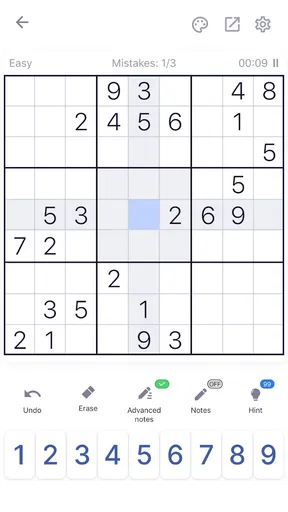
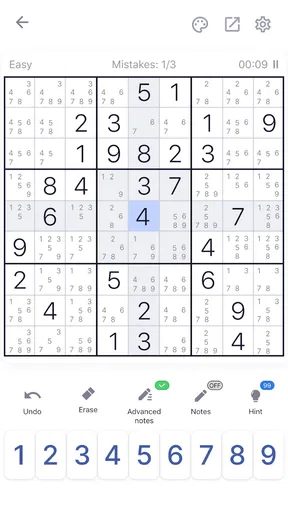
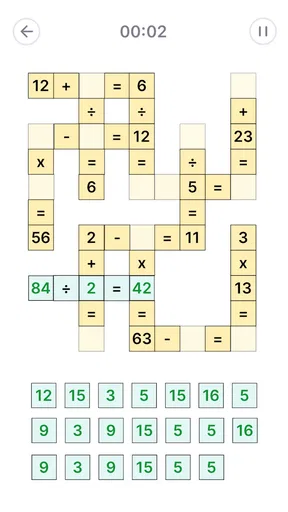
 Analysis by AppCompare
When I pick a Sudoku app, I want to know two things before anything else: whether I can settle into a puzzle without fuss, and whether spending money is likely to affect the experience. Sudoku - Classic Sudoku Puzzle is a free puzzle game from Guru Puzzle Game, and its straightforward number-grid focus makes it easy to understand what you’re getting. It’s rated for Everyone, so it’s a reasonable choice for a shared device or for younger players learning the rules alongside an adult.
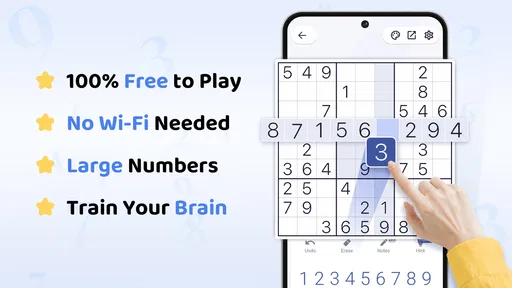
The game can be played offline, which is useful when a connection is unreliable or when I simply want a quiet puzzle without depending on mobile data. That makes it a practical option for a flight, a waiting room, or a commute where reception comes and goes. I wouldn’t choose it for someone seeking a story or a constantly changing world; its appeal is the familiar logic challenge, not a larger game narrative.
What the purchase details do—and don’t—tell you
There are in-app purchases, with listed items ranging from $0.99 to $98.99. That is worth knowing before handing the phone to a child or tapping through purchase screens, but it does not, by itself, tell me what each item contains or whether a purchase is necessary to solve puzzles. I would treat the free game as the starting point and check the individual purchase details in the store before paying for anything.
That distinction matters for a Sudoku app. The core activity is a pencil-and-paper puzzle, so I judge value by whether the controls, notes and checking tools make solving comfortable—not by assuming that a paid option gives a competitive edge. If you prefer never to see optional purchases, or you are setting up a device for a child, review the device’s purchase controls first. I can’t responsibly promise that every screen is free of prompts; the confirmed purchase range is the useful practical context.
How the pace feels when a puzzle gets difficult
Sudoku works best for me when I can choose how much help I want. The original article’s mention of auto-check and hints points to a helpful balance: newer players can use feedback to learn, while experienced solvers can leave assistance off and rely on their own deductions. I’d use checking as a learning tool rather than leaving it on automatically. After placing a number, pausing to explain to myself why it belongs there builds better habits than simply reacting to a warning.
A useful routine is to begin a difficult grid by scanning each row, column and box for obvious placements, then add pencil possibilities only where the next move is genuinely unclear. Multiple candidates can keep a grid tidy, but they can also become clutter if I mark every empty cell immediately. I prefer to note candidates in a small cluster of uncertain cells, make a deduction, and then revisit those notes. This keeps the puzzle readable and makes it easier to spot when a possibility has been ruled out.
Hints are most valuable when I’m stuck after a real attempt, not as a shortcut after every pause. Before using one, I’ll check whether a row or box is one number away from completion and whether a candidate appears only once in a relevant group. That short reset often reveals a move I had overlooked. If it doesn’t, a hint can get me moving again without turning the whole session into guesswork.
Worth Reading Before You Choose

EA SPORTS FC Mobile 26 Is a Bigger Football Game, but It Takes Time

Flipboard Shows What News Apps Must Do Beyond the Feed

Switching to Android Auto Means Rethinking Your Driving Routine

Google Calendar Makes a Crowded Week Easier to Manage

Ludo King Makes the Most of the Minutes Between Plans

Baby Panda World Brings Quick Play to Modern Phones, but Its Game Library Feels Busy
A small everyday use that suits the offline format
Imagine I have a few minutes before an appointment. I can open a puzzle, work through a handful of placements and stop when my name is called. Later, when there’s another quiet stretch, I can return to the same kind of focused activity without needing to find a paper puzzle or keep a book in my bag. Offline play is especially handy in this situation because it makes the game less dependent on the quality of the connection.
For a longer session at home, I’d choose a level that feels challenging but not punishing, then use notes selectively instead of trying to race through the grid. If I’m tired, I’d avoid treating a slow solve as a failure: Sudoku often rewards a fresh look more than hurried tapping. The app is a better fit for short, self-paced breaks than for someone who wants a timed contest to fill every spare moment.
Where it fits among Sudoku alternatives
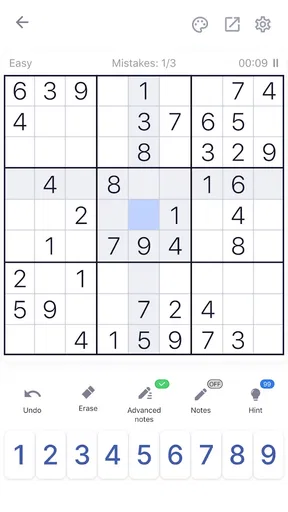
Compared with a printed puzzle book, a phone version is easier to carry and gives you tools such as an eraser, number keypad, pencil marks and optional checking. Paper has its own advantage: the whole grid is visible at once, and there are no touch-screen mis-taps. If you already enjoy solving on paper and dislike looking at a phone, a book may remain the more comfortable choice.
Compared with Sudoku games built around elaborate presentation or extra modes, this one’s attraction is its classic puzzle focus. That is a plus if you want to open a grid and get straight to reasoning. It is less compelling if your main motivation is unlocking a story, collecting elaborate rewards or competing in a structured league. The game’s offline usefulness also makes it a different proposition from puzzle experiences that rely on a persistent connection, though I would still check the particular device and app setup before travelling.
Who should choose it, and who may prefer something else
I’d recommend it to someone learning Sudoku who wants the option of feedback, a familiar keypad and a gradual route into harder solving. It also suits regular players who want a portable grid for a quiet break and don’t need a social layer to enjoy the puzzle. Since the game is free to start and intended for Everyone, it is accessible to a broad range of players, while the in-app purchase range gives families a reason to keep purchase settings in mind.
I’d look elsewhere if you need a specific accessibility feature that you have not tested on your device, want a guaranteed purchase-free interface, or prefer puzzles with detailed explanations of solving techniques. I would also choose paper if screen time is the concern, and a more competition-focused game if head-to-head play is the main draw. Those are not flaws in the Sudoku format; they are differences in what the player wants from a puzzle session.
One useful way to decide is to try a short session without hints, then another with checking available. If the first feels too opaque, feedback can make the learning curve friendlier; if the second feels intrusive, turn the help off and use the app as a clean digital grid. That quick comparison tells you more about your preferred style than committing to a long session right away.
The game has reached over 10 million installs and holds a 4.7 average from around 577,000 ratings, which suggests that many players have found a reason to keep it around. Those figures are helpful context, not proof that its controls or difficulty will suit every person. I’d still judge it by the feel of the grid and by whether its assistance options match the way you like to solve.
Getting Started with Sudoku
First things first, installing Sudoku - Classic Sudoku Puzzle is a breeze. Available on both Android and iOS, it’s just a quick download away. Once you open it, you’re greeted with a clean interface that’s easy on the eyes. I’ve got to say, the minimalist design really helps in focusing on the puzzle without any distractions. No flashy ads jumping in your face—just pure, unadulterated Sudoku goodness.
Features That Stand Out
Now, let’s talk features. This app isn’t just about throwing numbers together. It offers multiple difficulty levels—from “Easy-peasy” to “Why do I do this to myself?” You can start with the easier puzzles to warm up, then gradually challenge yourself with the harder ones. The transitions are smooth, and there’s a satisfying sense of progress as you move up the levels.
One feature I particularly loved is the auto-check option. It’s like having a friendly nudge that tells you when you’ve placed a number incorrectly. And if you’re a purist, you can always turn it off. There’s also a hint system for those moments when you’re completely stumped. Trust me, we all have those!
Gameplay and User Experience
The gameplay is super intuitive. Tapping on a cell brings up a neat keypad with numbers 1 to 9, and you can easily pencil in multiple possibilities if you’re unsure. For those who like to keep things neat, there’s a handy eraser tool to clean up any mistakes.
One thing I noticed is the smooth performance. No lags or crashes, which is a huge plus in my book. The app is responsive, and the animations add a nice touch without being overwhelming. It’s like the developers knew exactly what a Sudoku lover dreams of!
Extras and Customization
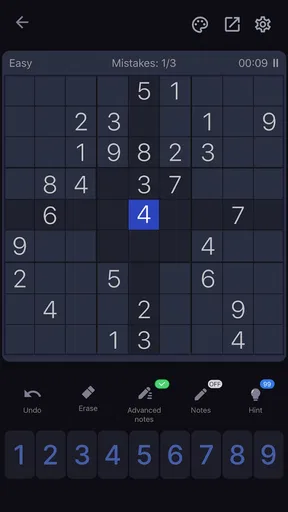
Aside from the core gameplay, the app offers some neat customization options. You can choose different themes, which is great if you like a bit of color while solving puzzles. The dark mode is particularly soothing for those late-night sessions.
There’s a daily challenge feature that keeps things fresh. Competing against yourself or others globally adds an exciting element to your daily routine. Plus, tracking progress with stats is a fantastic way to see how much you’ve improved over time.
Wrapping It Up
All in all, Sudoku - Classic Sudoku Puzzle is a delightful app that does justice to the classic game. It’s perfect for both beginners dipping their toes into the Sudoku world and seasoned players looking for a challenge. Whether you’re killing time on your commute or relaxing at home, this app is a reliable companion.
So, if you’ve got a penchant for puzzles and enjoy a mental workout, give this app a spin. It’s free, fun, and just might become your next obsession. Happy puzzling!
Pros
- Intuitive and user-friendly interface.
- Multiple difficulty levels available.
- Offline mode for play anywhere.
- Hints and tips for beginners.
- Minimal ads for a smooth experience.
Cons
- Limited customization options.
- No daily challenge feature.
- Background music can be repetitive.
- Ads between levels can interrupt flow.
- Lacks advanced puzzle statistics.
FAQs for Sudoku - Classic Sudoku Puzzle
What features does Sudoku - Classic Sudoku Puzzle offer?
Sudoku - Classic Sudoku Puzzle provides a variety of features designed to enhance the gaming experience. It includes multiple difficulty levels, from beginner to expert, and offers an intuitive interface for easy navigation. Users can also benefit from hints, automatic error checking, and the option to pause and resume games at their convenience.
Is Sudoku - Classic Sudoku Puzzle suitable for beginners?
Yes, Sudoku - Classic Sudoku Puzzle is perfect for beginners. The app offers an easy difficulty level with step-by-step tutorials to help newcomers understand the basics of Sudoku. Additionally, hints and error-checking features are available to guide users through tricky puzzles without frustration.
Does the app require an internet connection to function?
No, Sudoku - Classic Sudoku Puzzle can be played offline, which means you don’t need an internet connection to enjoy the game. This feature makes it ideal for users who want to play while commuting or in areas with limited connectivity. However, some features like leaderboards may require internet access.
Are there any in-app purchases or ads in the app?
Sudoku - Classic Sudoku Puzzle is free to download and play, but it does include in-app purchases and ads. Users can opt to remove ads through a one-time purchase or buy additional features such as new themes or advanced hints. The app ensures that in-app purchases are optional and do not hinder the free gameplay experience.
How does Sudoku - Classic Sudoku Puzzle help improve my skills?
The app is designed to help users enhance their Sudoku-solving skills. With progressive difficulty levels and features like hints and error-checking, players can gradually tackle more challenging puzzles. The app also tracks your progress and provides statistics, allowing you to monitor improvements over time and identify areas for further practice.


